
Battery-powered electronic latch and mortise hardware can extend access control to suitable doors where a conventional wired opening is impractical.

How PaxLock can be deployed
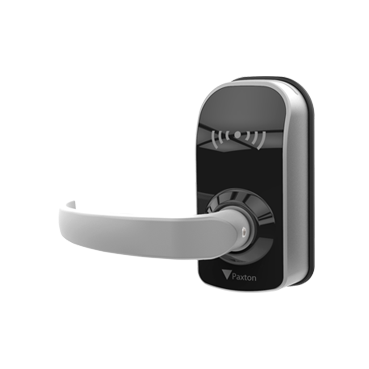
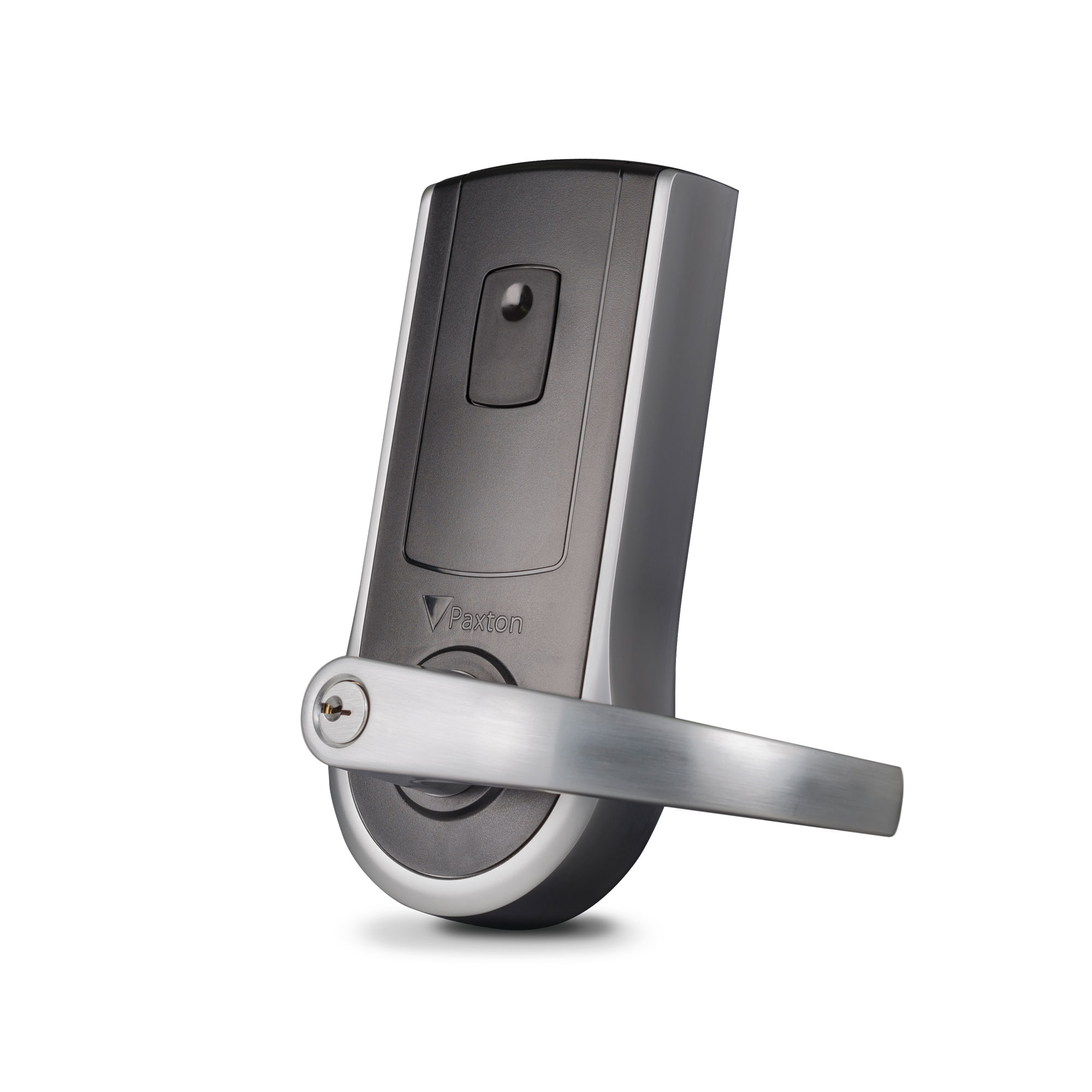
Paxton positions PaxLock as electronic door-handle hardware available for standalone operation and for integration with Net2 or Paxton10. Depending on the current product family, latch and mortise configurations, internal or external applications and black or white finishes may be available. Networked designs use the appropriate wireless infrastructure—such as a Net2Air Bridge for Net2 or a Paxton10 Wireless Connector for Paxton10.
When wireless hardware makes sense
| Good candidate | Needs closer review |
|---|---|
| Interior office, storage or staff opening with compatible preparation | High-cycle or high-security perimeter opening |
| Door where new power/data cabling would be disruptive | Opening with unusual hardware, tight clearances or door-condition problems |
| Phased access-control expansion | Fire-rated assembly requiring verified listed hardware and preparation |
| Location where battery service can be managed | Site without an owner-approved battery inspection/replacement program |
| Opening within validated wireless coverage | Shielded, distant or interference-prone location |
Door-by-door survey
- Door material, thickness, handing and existing preparation
- Latch or mortise lock function and lever clearances
- Fire label, egress, accessibility and local code requirements
- Indoor/outdoor exposure and published product rating
- Traffic level and battery maintenance expectations
- Net2, Paxton10 or standalone management requirement
- Wireless path to the Bridge or Connector
- Credential technology and audit expectations
Representative PaxLock hardware
Manufacturer references
Product capabilities and compatibility were checked against Paxton’s official U.S. materials. Specifications, availability and software support can change; Boston High Tech confirms the current design before procurement.
Explore the Paxton product family
Plan a Paxton system around your doors—not a generic parts list
Boston High Tech surveys the openings, network, power, life-safety interfaces, credential population and operating workflow before finalizing equipment. We serve projects from our Charlotte headquarters and local client offices serving Massachusetts, New York and New Jersey. Visits are by appointment so the appropriate specialist is available.
How to compare and specify this product family
For Paxton PaxLock Wireless Door Hardware, the right model and architecture depend on the site, existing infrastructure and operating policy. A proposal should clearly document the following electronic lock and door-hardware system decisions before equipment is ordered:
- Opening type, handing, frame and door condition
- Fire rating, egress, accessibility and code constraints
- Fail-safe or fail-secure operation and emergency release
- Credential, reader and controller compatibility
- Battery, wireless gateway and offline behavior
- Mechanical key override, maintenance and lifecycle support
Installation, testing and handoff
Each opening is surveyed as a complete assembly. We verify the door, frame, handing, existing prep, latching, closer, egress hardware, power path and the required emergency behavior before specifying a lock. Installation includes alignment and mechanical correction within scope, cable and power testing, credential enrollment, door-state and request-to-exit tests, and failure-mode verification. The owner receives opening schedules, administrator guidance and maintenance requirements; private credential data and certificate details are not published.
Frequently asked questions
Common questions about putting battery-powered PaxLock hardware on existing openings and tying those openings back to Net2 or Paxton10.
Latch or mortise: which PaxLock version fits an existing door?
The door’s existing preparation decides. Paxton offers latch and mortise configurations, plus internal or external applications and black or white finishes, depending on the current product family. The survey records door material, thickness, handing and existing preparation, then lever clearances, so the version ordered matches the pocket or bore already cut into the leaf.
We do not run access control software today. Can PaxLock still be used?
Yes. Paxton positions PaxLock for standalone operation as well as for integration with Net2 or Paxton10. What standalone changes is enrollment and record keeping, so settle credential technology and audit expectations before the choice is made. If central administration and reporting across doors matter to the owner, price the Net2 or Paxton10 route instead.
Do we have to pull new power and data cable to each door?
Not to the door leaf. PaxLock is battery-powered hardware, which is why an opening where new power or data cabling would be disruptive is listed as a good candidate. The cabling work moves to the wireless infrastructure instead: a Paxton10 Wireless Connector needs a mounting position and a path back to the system, confirmed during the survey.
Our doors drag and do not latch cleanly. Does that stop the project?
No, but the opening gets corrected before the lock goes on. Installation includes alignment and mechanical correction within scope, then cable and power testing, credential enrollment, door-state and request-to-exit tests and failure-mode verification. An opening with unusual hardware, tight clearances or door-condition problems is flagged as a poor wireless-lock candidate, and frame or closer repair beyond scope is quoted separately.
How does the hardware actually reach Net2 or Paxton10?
Over the wireless infrastructure that matches the platform: a Net2Air Bridge for Net2, or the Paxton10 wireless connector for Paxton10. Coverage is verified rather than assumed, so each opening is confirmed to sit within validated wireless coverage. A shielded, distant or interference-prone location is treated as a poor fit, and the survey looks at relocating the wireless device or wiring that door.
We want to start with a few doors and add more later. Does that work?
Yes. Phased access-control expansion is one of the situations this hardware suits, since each added opening needs no new cable at the leaf. Two limits govern a phase: every new door must fall inside validated wireless coverage, and the site needs an owner-approved battery inspection and replacement program, without which battery hardware is the wrong choice.
Paxton owner, administrator and buyer resources
Discuss Paxton installation, upgrade or service
Detailed guides are maintained by 360TechnologyGroup.com, the parent-company knowledge center.
Official Paxton software, firmware and support
Official manufacturer resources. We link out rather than host firmware.
Before updating: confirm model, hardware revision, current version, entitlement and rollback plan, and schedule monitored or life-safety-adjacent systems with the administrator.