
Indoor answering devices and mobile calling options for residential and commercial 2N intercom systems.
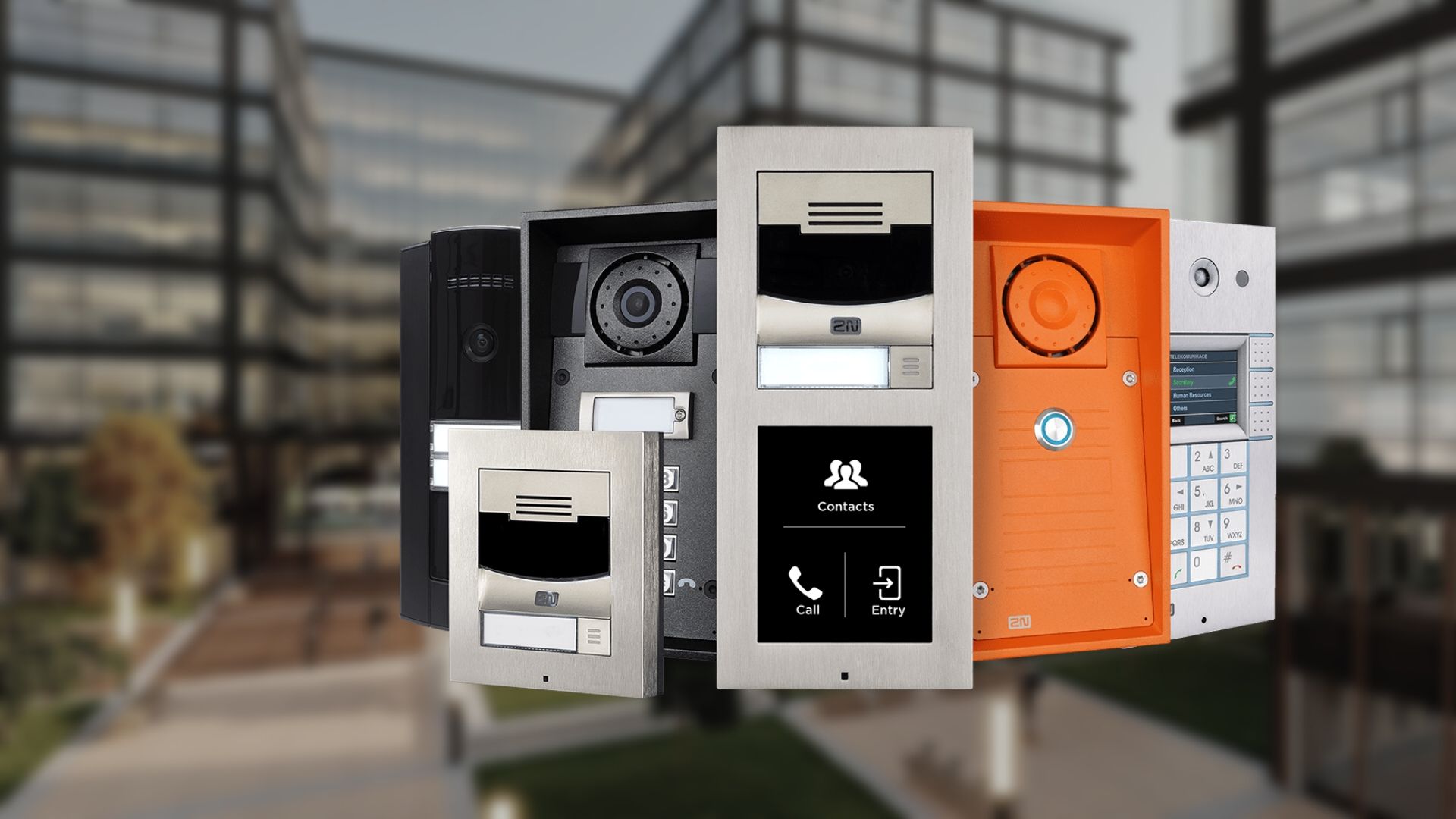
What this product family does
2N’s current indoor-station family includes Indoor View, Indoor Compact, Clip, Clip 2wire-IP and Indoor Talk, plus My2N App. Options differ in display size, audio-only vs. video, retrofit connectivity, mounting and smart-building commands.
Products and decisions
| Product area | What it includes | Selection guidance |
|---|---|---|
| Indoor View | 7-inch touchscreen answering station | Premium visual interface and building-control workflows where supported |
| Indoor Compact | 4.3-inch display with touch buttons | Compact video answering for apartments and offices |
| Clip / Clip 2wire-IP | Mid-range and retrofit-oriented stations | Evaluate existing cable and the required 2-wire/IP conversion architecture |
| Indoor Talk / My2N App | Audio station or mobile answering/access | Decide whether a physical station, mobile app or both are required per unit |
Questions to answer before quoting
- Number of units and simultaneous call expectations
- Physical station vs mobile-only policy
- Existing riser/cabling and retrofit constraints
- Internet outage, resident support and move-in/out process
- Who owns administration, backups, updates and recurring services?
- What must continue working during network, internet or power failure?
- Which opening, egress, accessibility and life-safety requirements apply?
- What training, documentation and preventive maintenance are required?
Request a product-specific site survey
Boston High Tech serves projects from our Charlotte headquarters and local client offices serving Massachusetts, New York and New Jersey.
Official manufacturer references
Capabilities and product families were checked against the manufacturer links below.
How to compare and specify this product family
For 2N Indoor Stations and My2N App, the right model and architecture depend on the site, existing infrastructure and operating policy. A proposal should clearly document the following intercom and visitor-entry system decisions before equipment is ordered:
- Resident, tenant and directory workflow
- Audio/video quality at the proposed mounting point
- Mobile, desk-station and accessibility needs
- Door release, elevator and access-control interfaces
- Network, PoE, cellular and call-routing requirements
- Privacy, administrator roles and after-hours procedures
Installation, testing and handoff
Planning follows the visitor journey from arrival through verification, calling, release and audit history. We confirm mounting and accessibility, lighting and acoustics, door hardware, network paths, call routing, directory ownership and failover behavior. Commissioning tests every call destination and release path, including mobile and front-desk workflows, and verifies administrator roles and notification settings. The handoff includes directory-update procedures, user training and a documented support path.
Frequently asked questions
What building owners ask when choosing between 2N indoor stations and My2N App answering for each unit.
What is the difference between Indoor View and Indoor Compact?
Screen size and interface. Indoor View is the 7-inch touchscreen station, suited to a visual interface and to building-control workflows where those are supported, while Indoor Compact is a 4.3-inch display with touch buttons for compact video answering in apartments and offices. Available wall space inside each unit and the tasks the resident performs settle which one goes in.
Does every unit need a physical station if residents use My2N App?
No, and this family treats it as a per-unit decision: a physical station, My2N App, or both. Make that call with the resident population in mind, then work through the internet outage, resident support and move-in and move-out questions, because a mobile-only unit has no device on the wall to fall back on when a resident’s phone is unavailable.
We have two-wire cabling from an old intercom. Is any of it reusable?
Possibly, but the existing cable has to be evaluated before anything is reused. Clip / Clip 2wire-IP is the pair in the 2N indoor-station family associated with retrofit connectivity, and the design step attached to that pair is evaluating the existing cable and the required 2-wire/IP conversion architecture. Pair count, conductor condition and riser routing feed that evaluation, together with the retrofit constraints the proposal already documents.
How do you prove every apartment calls the right place before handover?
Commissioning tests every call destination and release path, including mobile answering and the front-desk workflow, so each unit is called and answered rather than sampled. Administrator roles and notification settings are verified in the same pass, and the handoff carries directory-update procedures, user training and a documented support path for whoever inherits the system.
Can a resident open the entrance door from a phone?
Yes. My2N App is listed for mobile answering and access, so a resident can take the call and release the entrance without a station in the unit. Which opening that release affects, and whether it is allowed after hours, are design settings, and commissioning walks each release path so the control in the app matches the door it is meant to open.
Will the indoor station also call the elevator or run other building commands?
Only where the station chosen supports those commands. This family differs in smart-building commands, and Indoor View is the station described with building-control workflows where supported. Door release, elevator and access-control interfaces are confirmed as separate links during planning, since an elevator interface involves equipment outside the intercom system and a second party’s scope of work.
2N owner, administrator and buyer resources
Discuss 2N installation, maintenance or service
Detailed guides are maintained by 360TechnologyGroup.com, the parent-company knowledge center.
Official 2N software, firmware and support
Official manufacturer resources. We link out rather than host firmware.
Before updating: confirm model, hardware revision, current version, entitlement and rollback plan, and schedule monitored or life-safety-adjacent systems with the administrator.