
Access rules for unattended entry, visitors, scheduled unlocks and remote door administration.
Product and selection guidance
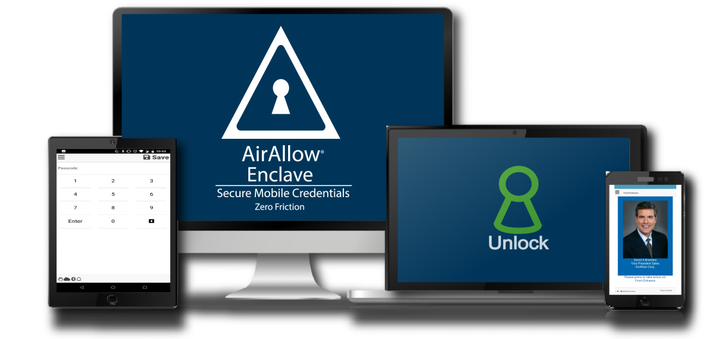
AirAllow lists remote lock/unlock, invitations, scheduled access, automatic unlock and reporting. Define identity verification, invitation expiration, recurring schedules, first-person/holiday logic, audit retention and support. High-risk doors may require a different credential or monitored architecture.
- Visitor invitations and temporary access
- Scheduled/automatic unlock and holidays
- Remote commands, monitoring and reporting
- Administrator security, privacy and incident response
- Door preparation, life safety and accessibility
- Current availability, subscription and lifecycle support
- Administrator, credential and emergency override policy
- Training, documentation and preventive maintenance
Request a site-specific review
Supported from Charlotte headquarters and local client offices serving Massachusetts, New York and New Jersey.
Official manufacturer references
How to compare and specify this product family
For AirAllow Automation, Visitors, Schedules and Remote Management, the right model and architecture depend on the site, existing infrastructure and operating policy. A proposal should clearly document the following access-control system decisions before equipment is ordered:
- Number and type of controlled openings
- Controller, reader, lock and credential compatibility
- Cloud or on-premise administration and ownership
- Offline behavior, backup power and emergency operation
- Directory, HR, video, visitor and elevator integrations
- Licensing, cybersecurity, training and lifecycle support
Installation, testing and handoff
A site survey records each opening, door hardware, cable path, power, network, credential policy and integration requirement. The design then maps readers, controllers, locks, inputs, outputs and administrator roles to the operational workflow. Commissioning includes door-by-door functional tests, failure-mode and backup-power checks, permission and schedule tests, event verification, administrator training and as-built documentation. Product availability, subscriptions and supported integrations are confirmed for the current project before procurement.
Frequently asked questions
Common questions about AirAllow invitations, scheduled unlocks, remote door commands and the policies that decide how they are used.
How do visitor invitations differ from a recurring schedule?
The difference lies in which policy group each falls under. AirAllow lists invitations with visitor and temporary access, where identity verification and invitation expiration are set. Scheduled access sits with automatic unlock, recurring schedules and first-person/holiday logic. Which one fits depends on whether you are admitting someone for a temporary need or defining the building’s regular hours. Who may issue an invitation is assigned before either is turned on.
Should every controlled door be managed this way, including the server room?
Not necessarily. This page notes that high-risk doors may require a different credential or monitored architecture, so openings are classified before the rollout list is set. A server room, a cash office or a records vault can warrant a second factor, a monitored alarm point or a separate controller path, while general staff doors run on the standard credential and schedule.
Does the door itself need work before remote unlock is dependable?
That depends on the condition of the opening, since a remote command only reports what the hardware there actually does. Door preparation, life safety and accessibility are surveyed first: latching, strike alignment, closer adjustment and free egress. A door that does not latch cleanly will show a secure state the operator cannot trust, so corrections happen before the first scheduled unlock is programmed.
What happens at a scheduled unlock if the site loses its internet connection?
The remote command path is the part that stops; whether the automatic unlock still fires at its programmed time is a property of the equipment at the door and is confirmed for your controller before ordering. Record the offline behavior, backup power and emergency operation you require, then rehearse the emergency override policy so staff know which credential opens the door while reporting is unavailable.
Can employee records from our HR system drive access rights?
That depends on which connections are supported for your AirAllow account, which is why directory, HR, video, visitor and elevator integrations sit on the pre-order decision list rather than in the feature summary. Name the system of record, the fields that drive enrollment and revocation, and the person who approves each connection. Until a connection is confirmed, plan on manual enrollment and a documented removal step.
Must the readers and controllers we already own be replaced?
Some may stay and some may not, and the survey decides which: controller, reader, lock and credential compatibility is one of the decisions this page requires in the proposal before equipment is ordered. Inventory each opening, read a sample credential instead of trusting the printing on it, and price replacement for anything the manufacturer has not confirmed in current documentation.
Official AirAllow software, firmware and support
Official manufacturer resources. We link out rather than host firmware.
Before updating: confirm model, hardware revision, current version, entitlement and rollback plan, and schedule monitored or life-safety-adjacent systems with the administrator.