
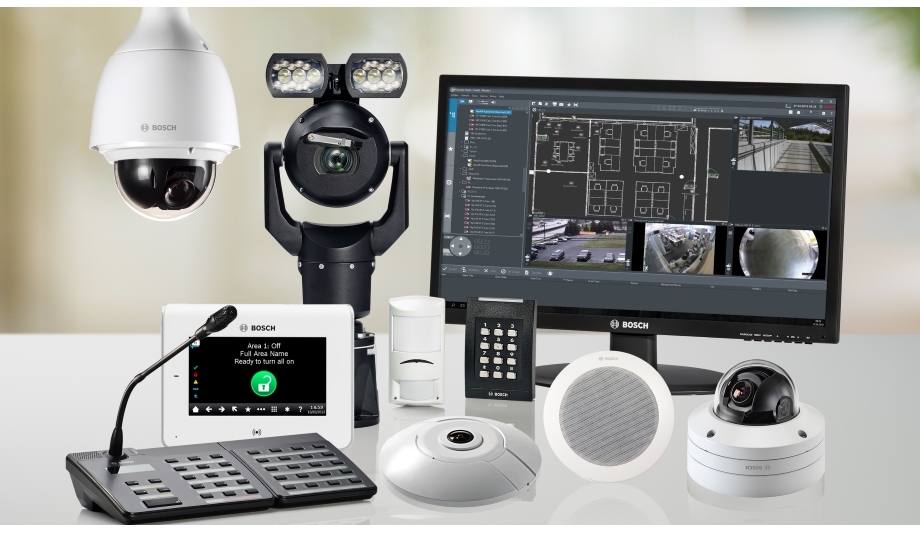
Bosch IP cameras across fixed dome, PTZ, box, panoramic, multisensor and specialty applications.
Product and system guidance
Bosch ranges include FLEXIDOME fixed/panoramic/multisensor, AUTODOME PTZ and DINION box-style cameras with embedded analytics. Use the current selector for resolution, lens, range, NDAA status, environment and application. Analytics need a documented detection target and scene validation.
- 3000–9000 range and application-tier selection
- FLEXIDOME fixed/panoramic and multisensor coverage
- AUTODOME PTZ and DINION specialty imaging
- Intelligent/essential video analytics and forensic search
- Scene survey, pixels on target, lens and mounting
- Bandwidth, storage, retention and evidence export
- Firmware, cybersecurity, user roles and remote access
- Current regulatory, procurement and customer compliance requirements
Engineering before procurement
Boston High Tech validates current model availability, firmware, licenses, analytics, VMS compatibility and storage calculations. We do not publish private certificate numbers or named certificate-holder records; qualifications can be confirmed through appropriate private channels.
Request a video-system design review
Serving projects from our Charlotte headquarters and local client offices in Massachusetts, New York and New Jersey. Office visits are arranged in advance.
Official manufacturer references
How to compare and specify this product family
For Bosch FLEXIDOME, AUTODOME, DINION and Video Analytics, the right model and architecture depend on the site, existing infrastructure and operating policy. A proposal should clearly document the following video-surveillance system decisions before equipment is ordered:
- Scene purpose and required pixels on target
- Lens, mounting height, WDR, IR and low-light needs
- Analytics supported by the selected camera and VMS
- Bandwidth, PoE and network segmentation
- Retention, storage throughput and export workflow
- User roles, cybersecurity, health monitoring and support
Installation, testing and handoff
Design starts with the evidence or operational result required at each scene—not megapixels alone. We document fields of view, identification targets, lighting, camera placement, network load, recording profiles and retention assumptions. Commissioning covers focus, exposure, time synchronization, analytics calibration, user permissions, mobile or remote access, export testing and health alerts. Final documentation records device names, locations, addressing, retention settings and administrator procedures without publishing private credentials.
Frequently asked questions
Questions about choosing Bosch camera families, mounting them for the scene and proving analytics before handover.
Does a parking lot need a multisensor, an AUTODOME PTZ, or both?
It depends on whether the requirement is recorded coverage of every approach or an operator’s close look at one thing at a time. A FLEXIDOME multisensor records several fixed fields of view at once from a single mount, while an AUTODOME PTZ sees where it is pointed and leaves the rest uncovered while it moves. A lot that needs both roles gets both, sized from the scene survey.
What does the 3000 to 9000 range mean for camera selection?
It is a tier, so the number points to the class of camera intended for an application rather than to a single feature. This page treats 3000–9000 range and application-tier selection as the first product decision, made from what each scene has to deliver. Resolution, lens, range, NDAA status and environment are then confirmed for the current model in the Bosch video product selector.
How high should a camera be mounted?
High enough to clear obstruction and low enough to hold the required pixels on target at the identification distance, which the lens choice and the scene survey settle together. A face at a doorway and a vehicle in a yard call for different geometry. Set focus and exposure at the scene during commissioning, then judge the recorded stream rather than the live view on a laptop.
Do the analytics work as soon as the camera is on the network?
No. Analytics need a documented detection target and scene validation, so decide what event must be detected, at what distance and under which lighting, then walk the scene with people or vehicles and tune until the detections match. Because analytics support belongs to the selected camera and VMS, the detection plan is written before the camera model is chosen.
Will these cameras support the analytics our VMS shows?
That is checked per model against the VMS in use, since analytics support belongs to the camera and the video management system together rather than to a brand name. Bring the VMS product and version to the design review, and establish which analytics metadata and forensic search functions reach the operator client. Where a function does not carry through, decide whether the project still needs it.
How much load do these cameras add to the network?
A calculated load, not an estimated one: bandwidth, PoE and network segmentation are worked out per camera from resolution, frame rate, scene activity, compression and retention. Give IT that calculation in writing, with the switch ports and power budget each closet has to carry. Evidence export and archive traffic are added to the same figure before the uplink is sized.
Bosch and Keenfinity enterprise-security resources
Discuss Bosch installation, integration or service
Detailed guides are maintained by 360TechnologyGroup.com, the parent-company knowledge center.
Official Bosch Security software, firmware and support
Official manufacturer resources. We link out rather than host firmware.
Before updating: confirm model, hardware revision, current version, entitlement and rollback plan, and schedule monitored or life-safety-adjacent systems with the administrator.