
Mobile access automation designed to work with existing compatible electrified door hardware without proprietary locks.
Product and selection guidance
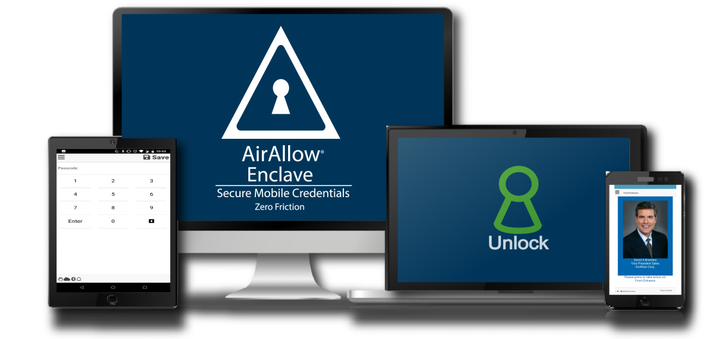
AirAllow uses phones for entry and supports operation without Wi-Fi at the door. A site design must identify the AirAllow controller/interface, lock/relay wiring, power, door inputs, mobile/Bluetooth/cellular behavior and existing access-panel coexistence. “Works with existing hardware” still requires model-by-model verification.
- Controller/interface to strike, maglock or gate input
- Phone entry with or without app/Wi-Fi as supported
- Existing reader/panel and door hardware integration
- Power, REX/contact, egress and offline behavior
- Door preparation, life safety and accessibility
- Current availability, subscription and lifecycle support
- Administrator, credential and emergency override policy
- Training, documentation and preventive maintenance
Request a site-specific review
Supported from Charlotte headquarters and local client offices serving Massachusetts, New York and New Jersey.
Official manufacturer references
How to compare and specify this product family
For AirAllow Mobile Access Control and Existing Door Hardware, the right model and architecture depend on the site, existing infrastructure and operating policy. A proposal should clearly document the following electronic lock and door-hardware system decisions before equipment is ordered:
- Opening type, handing, frame and door condition
- Fire rating, egress, accessibility and code constraints
- Fail-safe or fail-secure operation and emergency release
- Credential, reader and controller compatibility
- Battery, wireless gateway and offline behavior
- Mechanical key override, maintenance and lifecycle support
Installation, testing and handoff
Each opening is surveyed as a complete assembly. We verify the door, frame, handing, existing prep, latching, closer, egress hardware, power path and the required emergency behavior before specifying a lock. Installation includes alignment and mechanical correction within scope, cable and power testing, credential enrollment, door-state and request-to-exit tests, and failure-mode verification. The owner receives opening schedules, administrator guidance and maintenance requirements; private credential data and certificate details are not published.
Frequently asked questions
Common questions about phone-based entry with AirAllow and the electrified door hardware already installed at your openings.
Do we have to replace our locks to use AirAllow?
No. The design is built around existing compatible electrified door hardware rather than a proprietary lock, so a strike, maglock or gate operator already in place can stay if it is sound and correctly adjusted. What changes is the controller or interface that drives the lock, its power source, and the door inputs wired back to it.
How do you confirm our specific locks are supported?
By listing every lock, power supply and existing panel by part number and checking each one before the order goes out. The claim that a product works with existing hardware still requires model-by-model verification, because one lock family can span several voltages, functions and handing options. Anything unresolved at that stage is settled against current manufacturer documentation.
Does every door need Wi-Fi for phone entry to work?
No. AirAllow supports operation without Wi-Fi at the door, so the phone-to-door path can use Bluetooth or cellular depending on the model and the site design. The design still records which path each opening uses, because a door relying on cellular needs usable signal at that mounting location and a Bluetooth door needs the phone within range.
What actually gets wired at an opening?
The controller or interface connection to the strike, maglock or gate input, lock power sized for that device, and door inputs such as request-to-exit and door position contacts. Nothing is wired to the credential, since the credential is the phone. Opening type, handing, frame and door condition decide how much mechanical correction the door needs first.
Can AirAllow run on doors that our current access panel already controls?
Sometimes, and it depends on how that panel is wired to the lock and which system keeps authority over the opening. Existing access-panel coexistence has to be settled door by door: which system holds the credential list, which one drives the lock output, and what the other one is allowed to see. Split authority produces conflicting unlock commands.
How does someone get in if a phone is lost or the battery is dead?
Through whatever override the owner has authorized, which is why administrator, credential and emergency override policy belongs in the proposal rather than in a setting we pick alone. The owner names who can revoke a lost phone, who holds a key or override credential, and how that use is recorded afterward. Settle it before cutover.
Official AirAllow software, firmware and support
Official manufacturer resources. We link out rather than host firmware.
Before updating: confirm model, hardware revision, current version, entitlement and rollback plan, and schedule monitored or life-safety-adjacent systems with the administrator.