
Camera families for full-color low-light imaging, human/vehicle filtering and advanced analytics.
Product and system guidance
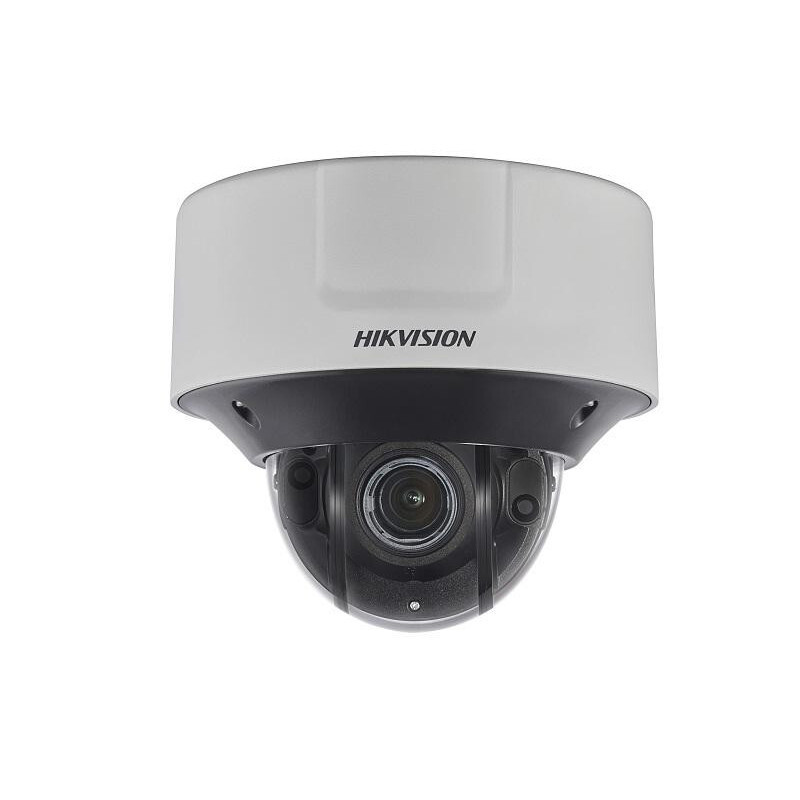
Hikvision offers dome, turret, bullet, box, PTZ, panoramic, fisheye, LPR and specialty cameras. ColorVu emphasizes low-light color, AcuSense human/vehicle filtering and DeepinView advanced analytics. Validate current U.S. availability, firmware, cybersecurity, procurement rules and the customer’s regulatory requirements before specification.
- Performance/value and smart-series camera selection
- ColorVu and Smart Hybrid Light low-light design
- AcuSense versus DeepinView analytics requirements
- LPR, PanoVu, fisheye, anti-corrosion and specialty cameras
- Scene survey, pixels on target, lens and mounting
- Bandwidth, storage, retention and evidence export
- Firmware, cybersecurity, user roles and remote access
- Current regulatory, procurement and customer compliance requirements
Engineering before procurement
Boston High Tech validates current model availability, firmware, licenses, analytics, VMS compatibility and storage calculations. We do not publish private certificate numbers or named certificate-holder records; qualifications can be confirmed through appropriate private channels.
Request a video-system design review
Serving projects from our Charlotte headquarters and local client offices in Massachusetts, New York and New Jersey. Office visits are arranged in advance.
Official manufacturer references
How to compare and specify this product family
For Hikvision Network Cameras: ColorVu, AcuSense and DeepinView, the right model and architecture depend on the site, existing infrastructure and operating policy. A proposal should clearly document the following video-surveillance system decisions before equipment is ordered:
- Scene purpose and required pixels on target
- Lens, mounting height, WDR, IR and low-light needs
- Analytics supported by the selected camera and VMS
- Bandwidth, PoE and network segmentation
- Retention, storage throughput and export workflow
- User roles, cybersecurity, health monitoring and support
Installation, testing and handoff
Design starts with the evidence or operational result required at each scene—not megapixels alone. We document fields of view, identification targets, lighting, camera placement, network load, recording profiles and retention assumptions. Commissioning covers focus, exposure, time synchronization, analytics calibration, user permissions, mobile or remote access, export testing and health alerts. Final documentation records device names, locations, addressing, retention settings and administrator procedures without publishing private credentials.
Frequently asked questions
Questions about selecting Hikvision camera families, sizing storage and clearing compliance before a video system is specified.
What do ColorVu, AcuSense and DeepinView each add?
They answer three different problems. ColorVu emphasizes low-light color, so a scene keeps color after dark instead of dropping to monochrome. AcuSense handles human and vehicle filtering, aimed at cutting alerts raised by other motion. DeepinView covers advanced analytics. A scene can call for one of the three, and that choice is made camera by camera.
We need plates at the gate and wide coverage in the yard. Same camera?
Treat the gate lane and the yard as two scenes with two sets of requirements. Each is surveyed for scene purpose and required pixels on target, and lens, mounting height, WDR, IR and low-light needs follow from that figure. LPR, PanoVu, fisheye, anti-corrosion and specialty cameras are the group we select from once those numbers exist, and the two scenes are calculated separately.
The camera has to identify a face at the door. What sets the lens and height?
The required pixels on target does. Identification, recognition and general observation each demand a different image scale, and that number sets the lens, while mounting height, WDR, IR and low-light needs follow from the scene survey. Cameras placed for tidy conduit runs rather than for the required view produce footage that cannot answer the question later.
What decides how much recording storage we buy?
Camera count, resolution and bitrate per stream, scene activity and the retention period you have to meet, so the figure is calculated after the scene list is fixed. Bandwidth, storage, retention and evidence export are sized together, and network segmentation and PoE budget are checked in the same pass so the switch plan matches the camera plan.
Does the analytics feature we want show up in our recording software?
That has to be validated per model. VMS compatibility covers two separate questions: whether the recording platform supports the camera at all, and whether the analytics are supported by the selected camera and the VMS, since a feature running at the camera does not always surface in the software. We confirm current firmware and supported versions against the manufacturer documentation before specification.
Are there compliance or procurement questions we should ask first?
Yes, and they get answered before specification rather than after the purchase order. Current regulatory, procurement and customer compliance requirements are validated against your funding sources, contracts and internal policy, and firmware, cybersecurity, user roles and remote access are settled with your IT group at the same time. Those answers can change the model list.
Hikvision owner, administrator and buyer resources
Discuss Hikvision installation, maintenance or service
Detailed guides are maintained by 360TechnologyGroup.com, the parent-company knowledge center.
Official Hikvision software, firmware and support
Official manufacturer resources. We link out rather than host firmware.
Before updating: confirm model, hardware revision, current version, entitlement and rollback plan, and schedule monitored or life-safety-adjacent systems with the administrator.