
IP-connected access readers for doors that need credential, mobile, PIN or biometric options without a full video intercom.
What this product family does
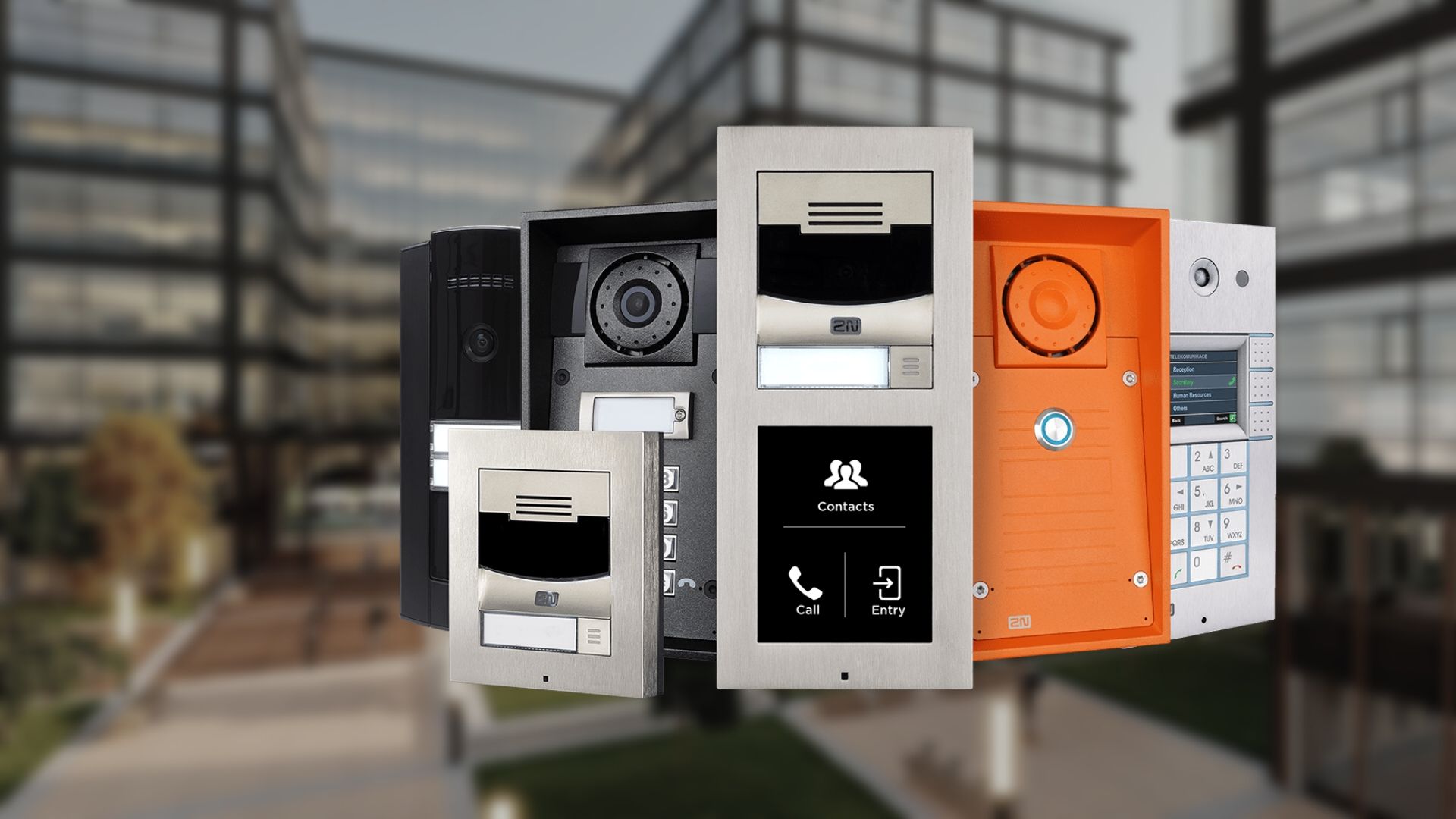
2N lists Access Unit 2.0 and Access Unit M families. Access Unit 2.0 supports modular reader choices and selected Verso modules; the current specification includes multi-technology credentials and My2N mobile access on applicable configurations. Exact IP/IK rating, credential security and reader module must be validated for the ordered model.
Products and decisions
| Product area | What it includes | Selection guidance |
|---|---|---|
| Access Unit 2.0 | Modular IP access reader/controller | Use where keypad, fingerprint, RFID or other supported modules are required |
| Access Unit M | Compact single-technology form factor | Use where a slim, purpose-specific reader matches the credential plan |
| Mobile access | My2N App and WaveKey on supported devices | Define licensing, tenant onboarding, phone-loss and fallback credential process |
| Physical credentials | Supported RFID technologies and secured card options | Avoid reducing a secure reader to legacy CSN-only use without documenting the risk |
Questions to answer before quoting
- Reader technology and encryption
- Door lock, REX/contact and life-safety interface
- Network/PoE and secure-side equipment placement
- Mobile credential policy and non-smartphone fallback
- Who owns administration, backups, updates and recurring services?
- What must continue working during network, internet or power failure?
- Which opening, egress, accessibility and life-safety requirements apply?
- What training, documentation and preventive maintenance are required?
Request a product-specific site survey
Boston High Tech serves projects from our Charlotte headquarters and local client offices serving Massachusetts, New York and New Jersey.
Official manufacturer references
Capabilities and product families were checked against the manufacturer links below.
How to compare and specify this product family
For 2N Access Units and Smart Readers, the right model and architecture depend on the site, existing infrastructure and operating policy. A proposal should clearly document the following access-control system decisions before equipment is ordered:
- Number and type of controlled openings
- Controller, reader, lock and credential compatibility
- Cloud or on-premise administration and ownership
- Offline behavior, backup power and emergency operation
- Directory, HR, video, visitor and elevator integrations
- Licensing, cybersecurity, training and lifecycle support
Installation, testing and handoff
A site survey records each opening, door hardware, cable path, power, network, credential policy and integration requirement. The design then maps readers, controllers, locks, inputs, outputs and administrator roles to the operational workflow. Commissioning includes door-by-door functional tests, failure-mode and backup-power checks, permission and schedule tests, event verification, administrator training and as-built documentation. Product availability, subscriptions and supported integrations are confirmed for the current project before procurement.
Frequently asked questions
Questions we hear from facility and IT teams weighing Access Unit 2.0, Access Unit M and My2N mobile credentials.
Access Unit 2.0 or Access Unit M for a back-of-house door?
Choose by how many credential methods that door needs. Access Unit 2.0 is a modular IP access reader and controller, used where a keypad, fingerprint, RFID or another supported module is required. Access Unit M is a compact single-technology form factor, suited to a slim, purpose-specific reader that matches the credential plan. A door with one settled credential type does not need the modular unit.
Will the badges our staff carry today work on these readers?
Compatibility depends on the RFID technology those badges use and on how the reader is configured to read them. 2N lists supported RFID technologies and secured card options, so the check happens per card type rather than per building. The trap to avoid is dropping a secure reader to legacy CSN-only operation so old badges keep working; if that becomes the decision, write down the risk it accepts.
Does every door need a network drop, or can we feed them from one place?
Each Access Unit is IP-connected, so plan a network path and power to each reader location rather than a single home run. The survey also records secure-side equipment placement, because the lock, request-to-exit device and door contact wiring belong on the protected side of the opening. Cable path, power and network are documented door by door before quantities are counted.
How does the reader tie into the lock and the fire alarm?
The reader handles the credential, while the door lock, REX/contact and life-safety interface is designed separately for each opening. Which egress, accessibility and life-safety requirements apply is confirmed opening by opening with the authority having jurisdiction, because that answer, not the reader model, governs how a door releases and how people leave the building during an alarm.
Someone loses a phone on a Friday night. Then what?
The phone-loss and fallback credential process is written down before mobile access goes live: who revokes the credential, how quickly, and what that person presents at the door meanwhile. Mobile access runs through the My2N App and WaveKey on supported devices, so a non-smartphone fallback such as a supported card or a keypad module has to exist to cover the gap.
After the install, who owns the accounts, the updates and the recurring services?
Ownership is named in the proposal rather than left to whoever answers the phone later: the document states who owns administration, backups, updates and recurring services, including any My2N licensing and tenant onboarding. It also states what training, documentation and preventive maintenance are required, so the handoff transfers a working system to a named administrator instead of a pile of devices.
2N owner, administrator and buyer resources
Discuss 2N installation, maintenance or service
Detailed guides are maintained by 360TechnologyGroup.com, the parent-company knowledge center.
Official 2N software, firmware and support
Official manufacturer resources. We link out rather than host firmware.
Before updating: confirm model, hardware revision, current version, entitlement and rollback plan, and schedule monitored or life-safety-adjacent systems with the administrator.