
A door-entry platform with standard, touch and vandal-resistant panels, indoor monitors and an optional mobile answering workflow.
Entry system components
| Component | Options to evaluate | Planning impact |
|---|---|---|
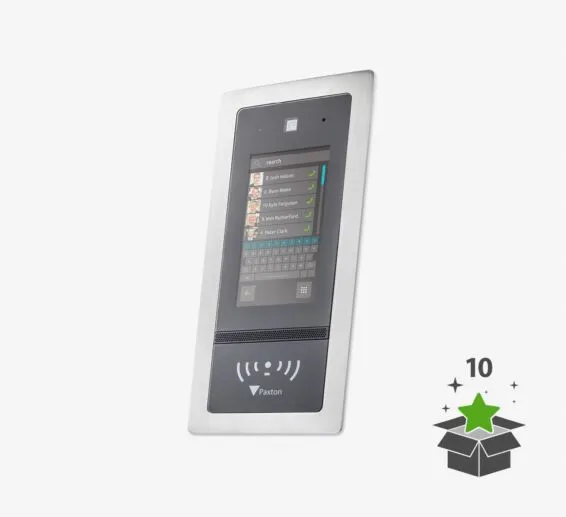
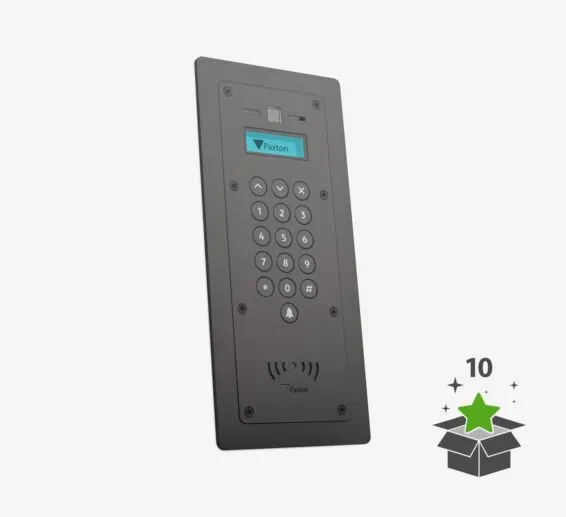
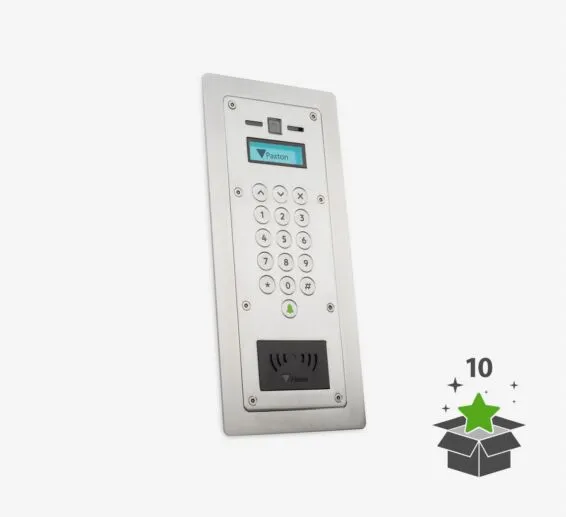
| Entrance panel | Standard, touch and vandal-resistant (VR) panel families | User directory, accessibility, abuse risk, weather exposure and mounting determine the choice. |
| Mounting accessories | Flush, surface and rain-hood arrangements where available | Wall construction, sealing, camera view and finished appearance must be coordinated. |
| Indoor station | Audio/video monitors with handset or hands-free configurations and wall/desk options | Reception, tenant and after-hours workflows determine quantity and placement. |
| Door control | Entry control unit and associated lock/door inputs | Lock power, release, monitoring and life-safety behavior are engineered together. |
| Mobile answering | Entry app for compatible phone/tablet answering and access release | Paxton states internet service and a monthly user license are required. |
Standalone or integrated operation
Paxton Entry can operate as a dedicated door-entry system and can also be designed alongside Net2. Paxton also lists Entry compatibility within the Paxton10 ecosystem. The correct architecture depends on whether reception only needs visitor call/release, or whether the same entrance should share credentials, events and wider security workflows.
Panel choices
Information we collect before design
- Number of entrances, users, tenants and call destinations
- Reception, after-hours and failover workflow
- Visitor directory and privacy requirements
- Panel mounting, weather and vandal exposure
- Camera field of view, lighting and accessibility
- Existing lock, door contact and egress hardware
- Network, internet and mobile-app policy
- Net2 or Paxton10 integration requirement
Manufacturer references
Product capabilities and compatibility were checked against Paxton’s official U.S. materials. Specifications, availability and software support can change; Boston High Tech confirms the current design before procurement.
Explore the Paxton product family
Plan a Paxton system around your doors—not a generic parts list
Boston High Tech surveys the openings, network, power, life-safety interfaces, credential population and operating workflow before finalizing equipment. We serve projects from our Charlotte headquarters and local client offices serving Massachusetts, New York and New Jersey. Visits are by appointment so the appropriate specialist is available.
How to compare and specify this product family
For Paxton Entry Video Intercom, the right model and architecture depend on the site, existing infrastructure and operating policy. A proposal should clearly document the following video-surveillance system decisions before equipment is ordered:
- Scene purpose and required pixels on target
- Lens, mounting height, WDR, IR and low-light needs
- Analytics supported by the selected camera and VMS
- Bandwidth, PoE and network segmentation
- Retention, storage throughput and export workflow
- User roles, cybersecurity, health monitoring and support
Installation, testing and handoff
Design starts with the evidence or operational result required at each scene—not megapixels alone. We document fields of view, identification targets, lighting, camera placement, network load, recording profiles and retention assumptions. Commissioning covers focus, exposure, time synchronization, analytics calibration, user permissions, mobile or remote access, export testing and health alerts. Final documentation records device names, locations, addressing, retention settings and administrator procedures without publishing private credentials.
Frequently asked questions
Common questions about specifying Paxton Entry panels, indoor stations and mobile answering for a working entrance.
Can staff answer entrance calls on a phone instead of an indoor monitor?
Yes. The Entry app answers calls and releases the door from compatible phones and tablets, and Paxton states that internet service and a monthly user license are required for that workflow. A site can still keep an indoor station at reception, because app answering depends on the phone being with the person who is supposed to respond. Decide the mix per call destination rather than per building.
Which Entry panel should we specify for a street door that takes abuse?
Start with the vandal-resistant (VR) family, because abuse risk and weather exposure are the conditions that move a specification away from the standard and touch panels. The other inputs are the user directory a visitor has to work through and accessibility at that entrance, so a long tenant list and a heavily used street door can point at different panels inside the same building.
What decides whether the entrance panel is flush or surface mounted?
Wall construction decides it first, since a flush panel needs backbox depth the wall can actually give up, while a surface arrangement with a rain-hood suits masonry and exposed positions. Sealing, the camera view from the finished mounting height and the appearance the architect expects are coordinated at the same time, before anyone cuts the opening for the panel.
How many indoor stations does a reception and after-hours setup need?
Count call destinations rather than doors, because reception, tenant and after-hours workflows set how many stations are placed and where they go. Stations come in handset and hands-free configurations with wall and desk options, so a desk unit at reception and a wall unit in a back office can serve one entrance. Entrance, user and tenant counts then confirm the total.
Does Paxton Entry have to run with Net2, or can it stand alone?
Paxton Entry can do either. It can operate as a dedicated door-entry system, it can be designed alongside Net2, and Paxton lists Entry compatibility within the Paxton10 ecosystem. Scope settles the question: if reception only needs visitor call and door release, a standalone Entry design answers it, while sharing credentials, events and wider security workflows at that entrance points to the integrated approach.
Will the Entry control unit work with the electric lock already on our door?
That depends on the existing lock, door contact and egress hardware at that opening, which is why those items are recorded before equipment is selected. The Entry control unit drives the opening through its lock and door inputs, and lock power, release, monitoring and life-safety behavior are engineered together, so a lock that cannot behave the way the egress design requires gets replaced rather than reused.
Paxton owner, administrator and buyer resources
Discuss Paxton installation, upgrade or service
Detailed guides are maintained by 360TechnologyGroup.com, the parent-company knowledge center.
Official Paxton software, firmware and support
Official manufacturer resources. We link out rather than host firmware.
Before updating: confirm model, hardware revision, current version, entitlement and rollback plan, and schedule monitored or life-safety-adjacent systems with the administrator.