
Distributed portal/I/O nodes and unified video/event presentation for the NetBox ecosystem.
Products and selection guidance
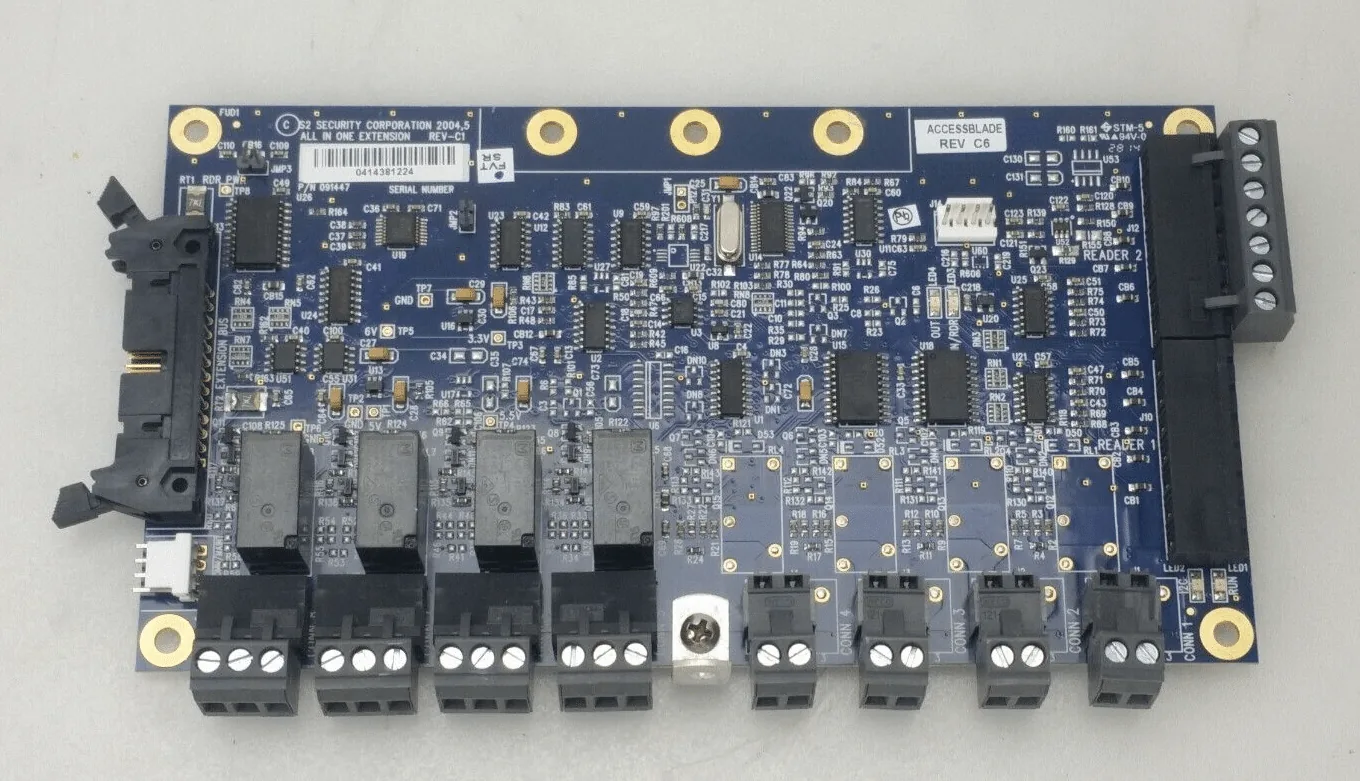
NetBox nodes connect readers, locks, inputs, outputs and probes. NetVR/VRx and supported third-party video can associate events with recorded footage, while Magic Monitor combines access, video, alarms and other information. Build a node/port schedule and video retention/bandwidth plan before equipment selection.
- Network Node, MicroNode and application blade selection
- Door, supervised input, relay output and temperature I/O
- NetVR/VRx converged and third-party video workflows
- Magic Monitor displays, maps, alarm handling and operator roles
- Door, lock, free-egress, accessibility and fire-alarm requirements
- Network, power, standby battery and outage behavior
- Current licenses, subscriptions, firmware and integrations
- Administrator training, backup, documentation and maintenance
Site-specific design
Boston High Tech inventories existing equipment and validates current manufacturer compatibility before specifying reuse, migration or replacement. Qualifications may be confirmed privately when needed; license numbers, certificate copies and named certificate-holder details are not published.
Request a manufacturer-specific consultation
Projects are supported from our Charlotte headquarters and local client offices serving Massachusetts, New York and New Jersey.
Official manufacturer references
How to compare and specify this product family
For LenelS2 NetBox Nodes, Video and Magic Monitor, the right model and architecture depend on the site, existing infrastructure and operating policy. A proposal should clearly document the following video-surveillance system decisions before equipment is ordered:
- Scene purpose and required pixels on target
- Lens, mounting height, WDR, IR and low-light needs
- Analytics supported by the selected camera and VMS
- Bandwidth, PoE and network segmentation
- Retention, storage throughput and export workflow
- User roles, cybersecurity, health monitoring and support
Installation, testing and handoff
Design starts with the evidence or operational result required at each scene—not megapixels alone. We document fields of view, identification targets, lighting, camera placement, network load, recording profiles and retention assumptions. Commissioning covers focus, exposure, time synchronization, analytics calibration, user permissions, mobile or remote access, export testing and health alerts. Final documentation records device names, locations, addressing, retention settings and administrator procedures without publishing private credentials.
Frequently asked questions
How NetBox nodes, converged video and Magic Monitor get sized and specified before a bill of materials is issued.
How do we work out how many nodes a building needs?
By building a node/port schedule first. Count the doors, supervised inputs, relay outputs and temperature I/O points at every location, group those points by closet and cable distance, and the Network Node, MicroNode and application blade selection follows from that count. Ordering hardware before the schedule exists is what produces short ports and stranded panels.
Can these nodes handle anything besides card readers?
Yes. NetBox nodes connect readers, locks, inputs, outputs and probes, so one schedule can carry door hardware, supervised inputs from other systems, relay outputs that drive equipment, and temperature I/O from probes in a cooler or a server room. List those non-door points early, because they consume ports that a door count never shows.
Do we have to buy new recorders to see video with our access events?
Not necessarily. NetVR/VRx and supported third-party video can associate events with recorded footage, so an installed recorder stays a candidate if that model appears on the supported list for the NetBox version you run. Confirm the pairing against current LenelS2 documentation before the design assumes the existing recorder stays.
What does Magic Monitor give an operator that a video client does not?
Magic Monitor combines access, video, alarms and other information in one presentation, so an operator handles an event and the footage tied to that event in the same place. What appears there is a design decision: Magic Monitor displays, maps, alarm handling and operator roles are defined per console, since a lobby desk and a security office need different screens.
Where do the nodes get mounted, and does that change our cabling?
Node placement drives cable count, so the two decisions are made together. NetBox nodes are located to keep reader and lock home runs short, which means closet space, power, standby battery capacity and a network drop are confirmed at each proposed location. Moving a node one floor changes the conductor count for every opening that node serves.
How much storage should we budget for video?
That figure comes out of the video retention/bandwidth plan, which is built before equipment selection. The inputs are camera count, resolution and frame rate per scene, recording hours per day, how long each scene has to be kept, and how much footage leaves the system as evidence. Network path sizing is calculated from the same numbers.
LenelS2 owner, administrator and buyer resources
Discuss LenelS2 installation, maintenance or service
Detailed guides are maintained by 360TechnologyGroup.com, the parent-company knowledge center.
Official LenelS2 NetBox software, firmware and support
Official manufacturer resources. We link out rather than host firmware.
Before updating: confirm model, hardware revision, current version, entitlement and rollback plan, and schedule monitored or life-safety-adjacent systems with the administrator.